Scrolling Ticker for In-Store TV Screens Add a Scrolling Ticker to Any TV Screen
Display custom messages, promotions, rolling announcements, and social media handles on your in-store TV screens, updating in real time from your dashboard.
No hardware changes, no technical setup.
Trusted by
50,000+ businesses in 27 countries, including Ace Hardware, True Value, Walmart, Disney, and Verizon.













Display Scrolling Ticker Messages, Announcements, and Social Media Handles on Any TV Screen.
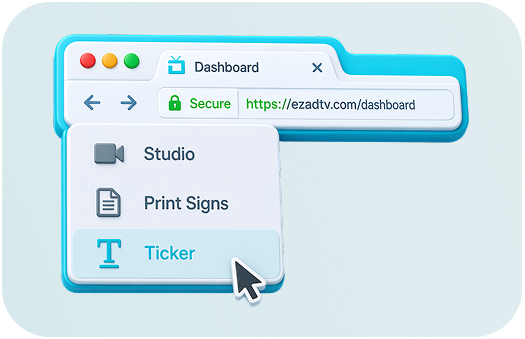
Go to the Ticker page in your EZ-AD dashboard
Log in to your EZ-AD dashboard and click "Ticker" in the left navigation panel. This is where you create and manage all your scrolling ticker messages for every TV screen in your store.

Click "Add Ticker Message" to create your first scrolling message
At the top of the ticker page, click "Add Ticker Message." A window opens where you can type your message, select social media handles, and choose display settings for your TV ticker.
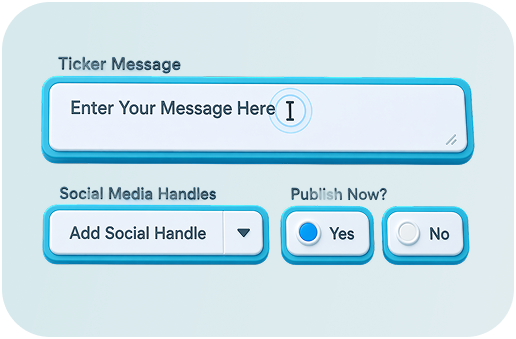
Type your ticker message
Enter any custom text, a promotion, announcement, store hours, or any message you want scrolling across your TV screen. You can add and edit multiple ticker messages at any time.
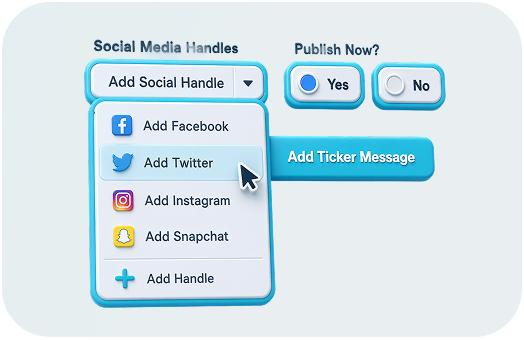
Add a social media handle to your ticker
Connect your Facebook, Twitter, Instagram, Snapchat, or any custom handle. Select it from the dropdown and EZ-AD automatically adds it to your scrolling ticker display. No manual typing needed.
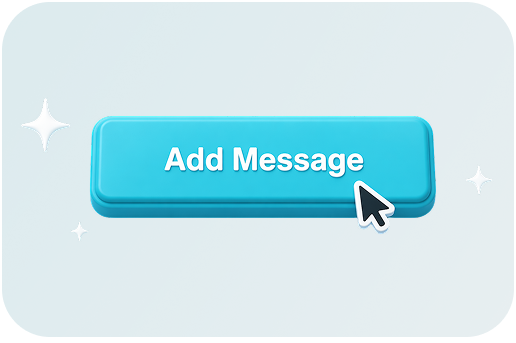
Select "Publish Now" and click "Add Message" to go live
Once you click "Add Message," your scrolling ticker goes live on your TV screens immediately. You will be redirected to the main Ticker page where you can manage all active messages.

Customize your scrolling ticker with "Ticker Options"
"Ticker Options" to personalize your TV ticker. Change text color, add a shadow, display your logo, and choose whether the ticker runs alongside your ad images or on its own. This is also where you turn EZ-AD into a logo ticker by adding your branding to every message.
Click "Save" and your ticker message is live on all selected screens
Click "Save" and your scrolling ticker updates instantly across every TV screen you selected. Changes go live in real time. No restarting, no delays.

Commitment To Security and Trust
Our platform ensures top-tier security and robust governance, validated by SOC 2 Type II audits. We're steadfast in protecting data, fully embracing PCI DSS compliance for secure transactions.


Ready to Play YouTube Videos on Your Store TV?
Join 50,000+ businesses already using EZ-AD to display content on their in-store screens.

Frequently Asked Questions
A scrolling ticker is a strip of text that moves horizontally across a screen, similar to the news tickers you see on TV channels. EZ-AD's ticker feature lets you add this to any TV screen in your store, displaying custom messages, promotions, announcements, or social media handles in real time.
EZ-AD TV is a plug-and-play digital signage system for retail stores and businesses. Plug the EZ-AD media player into any TV via HDMI, connect to Wi-Fi, and manage your content from ezadtv.com or the mobile app. The scrolling ticker is one of several features included in select EZ-AD plans.
Log in to your EZ-AD dashboard, click "Ticker" in the left navigation panel, then click "Add Ticker Message." Type your message, select any social media handles, customize the display options, and click "Add Message." Your ticker goes live on your TV screens immediately.
Yes. EZ-AD lets you run your scrolling ticker display alongside static images and video ads simultaneously. The ticker appears as a strip at the bottom of the screen while your other content plays above it.
You can display any custom text, including promotions, store announcements, special offers, hours, events, or any message you choose. You can also add your social media handles from Facebook, Twitter, Instagram, and Snapchat so they scroll automatically across your TV screen.
Yes. EZ-AD's Ticker Options let you add your logo to the ticker, making it a branded logo ticker that reinforces your identity every time a message scrolls across the screen.
Yes. All ticker messages are managed from your EZ-AD dashboard or mobile app. Add, edit, or remove messages at any time and changes go live on your TV screens in real time. No need to touch the hardware.
Yes. EZ-AD lets you assign different content to different screens throughout your store. Each TV screen in your location can display a different scrolling ticker message if needed.
EZ-AD TV includes a one-time device fee for the media player, plus a monthly plan tailored to your business needs. The scrolling ticker is included in select plans. For current pricing details, please visit our pricing page or contact our team directly.
No. You can cancel your monthly plan at any time with no cancellation fees. You also have 30 days to return the EZ-AD media player for a full refund.